Competency-based guidance and evaluation

Track competencies, feedback and progress in one place, at school and in the workplace.

dec
TrajectX on a smartphone

About TrajectX

TrajectX helps schools and organisations guide and evaluate learners in a structured way, at school and in the workplace: dual learning, internships and work-based learning.

You work with your own competency lists, evaluation scales and templates. Teachers, mentors and coaches add feedback and scores in the same trajectory, so progress is always visible. No more scattered spreadsheets and documents.


ellipse ellipse ellipse

Features

Administration

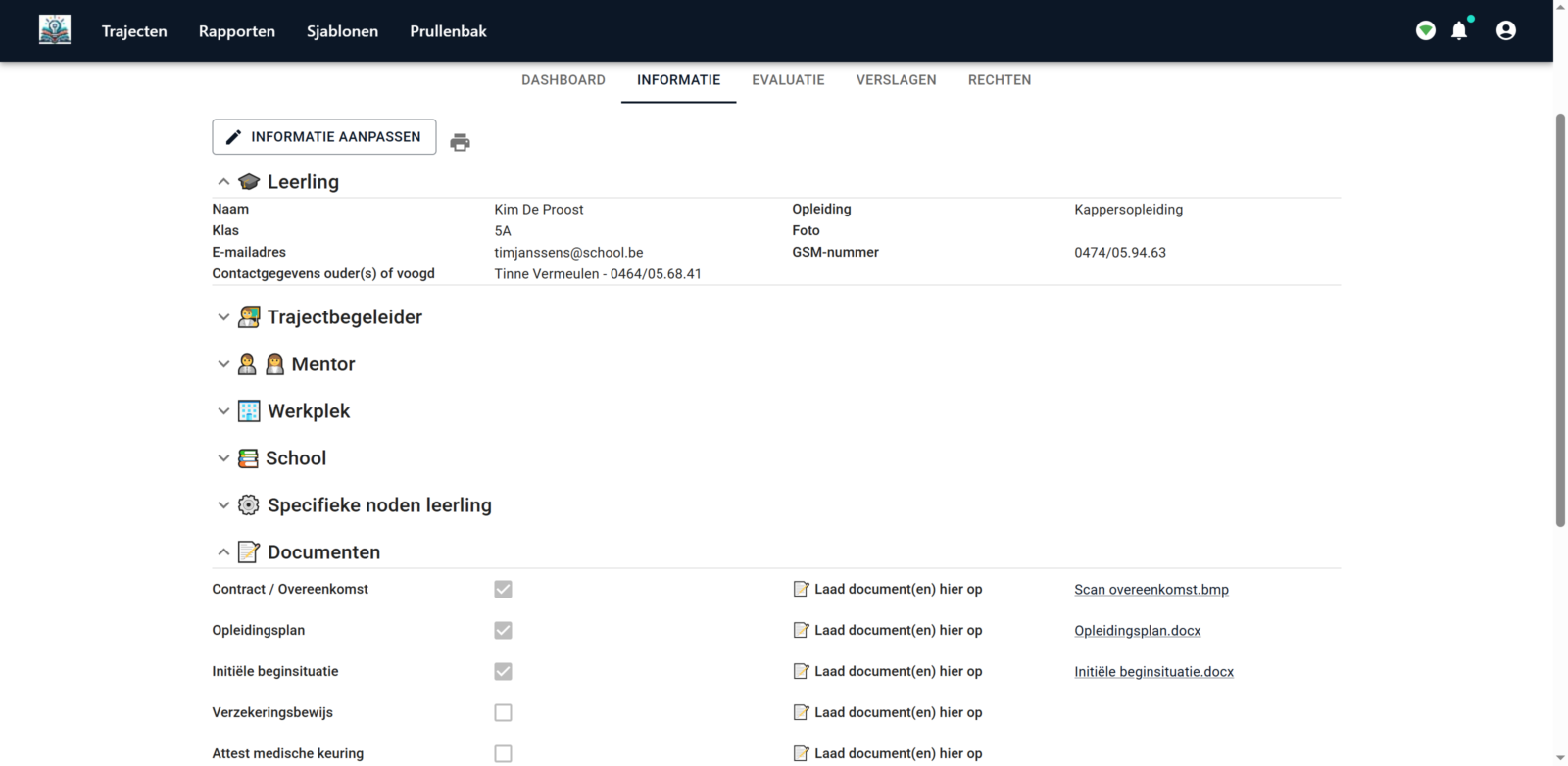
Bring all practical information about a trajectory together on one page, visible to everyone involved.

TrajectX screenshot: trajectory administration

Competencies

Import your competency lists directly from Excel, with main and sub-competencies.

TrajectX screenshot: competency list

Evaluation

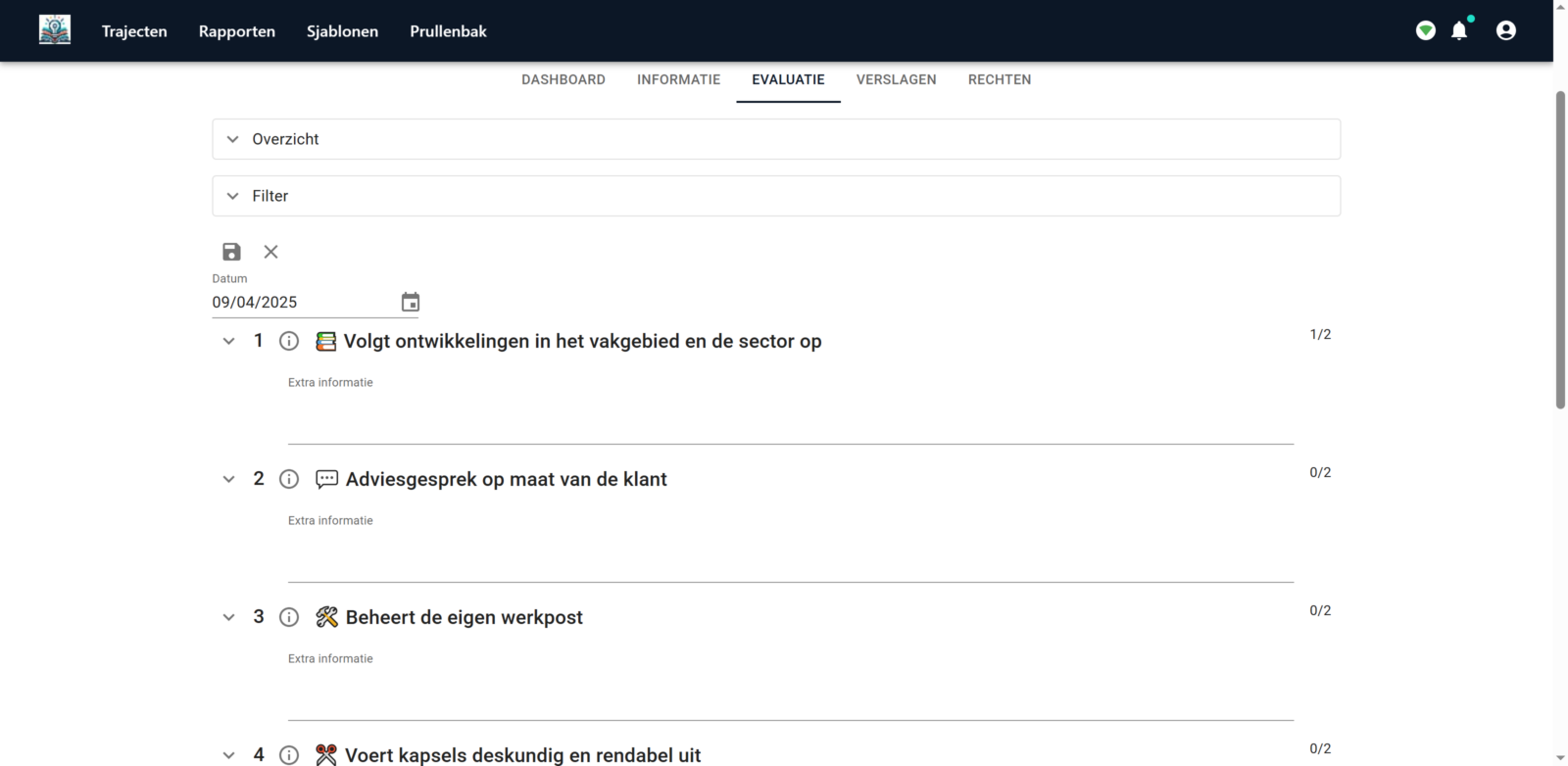
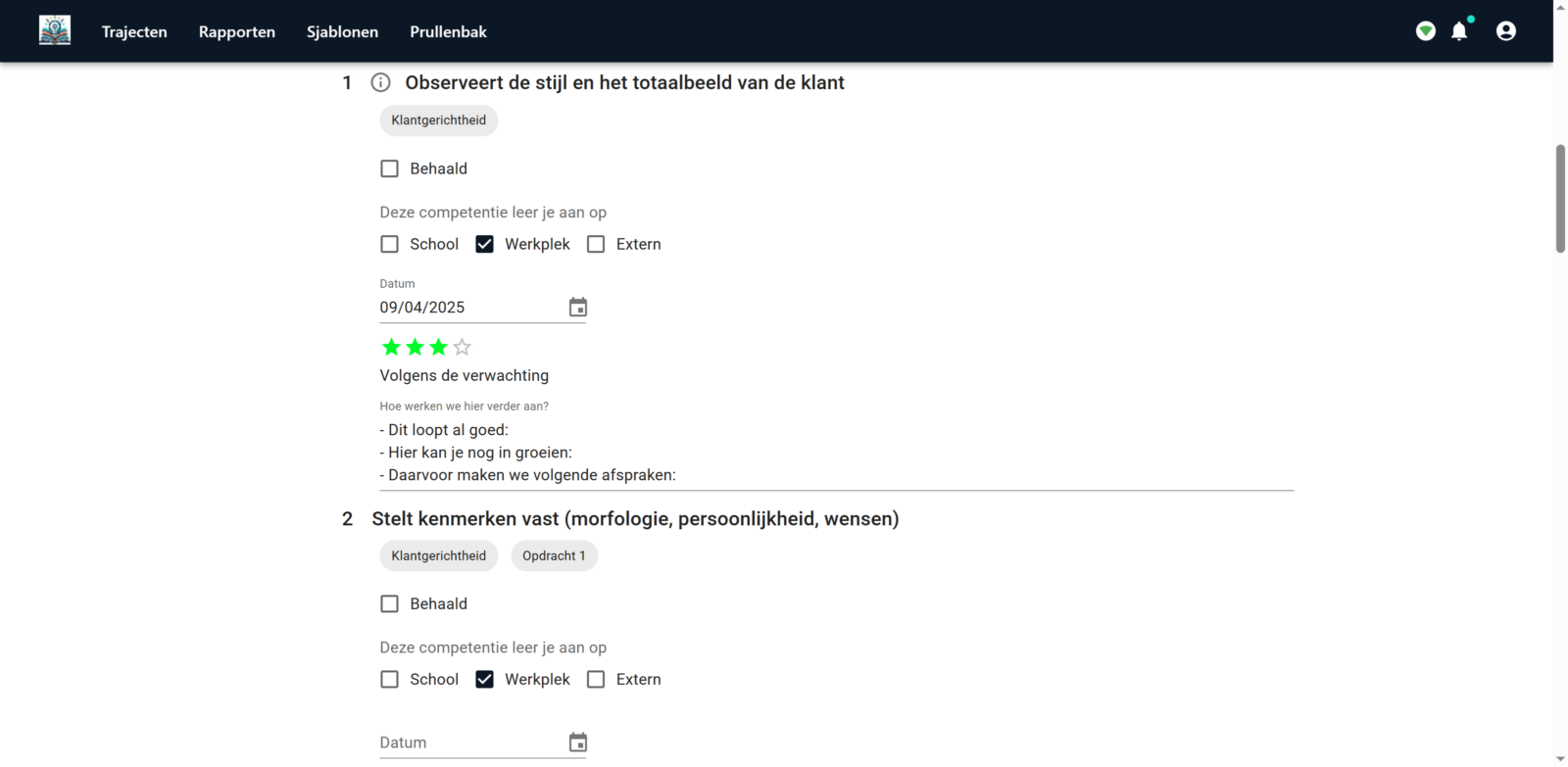
Evaluate with your own scale and levels. Give feedback and view the full history per competency.

TrajectX screenshot: competency evaluation

Documents

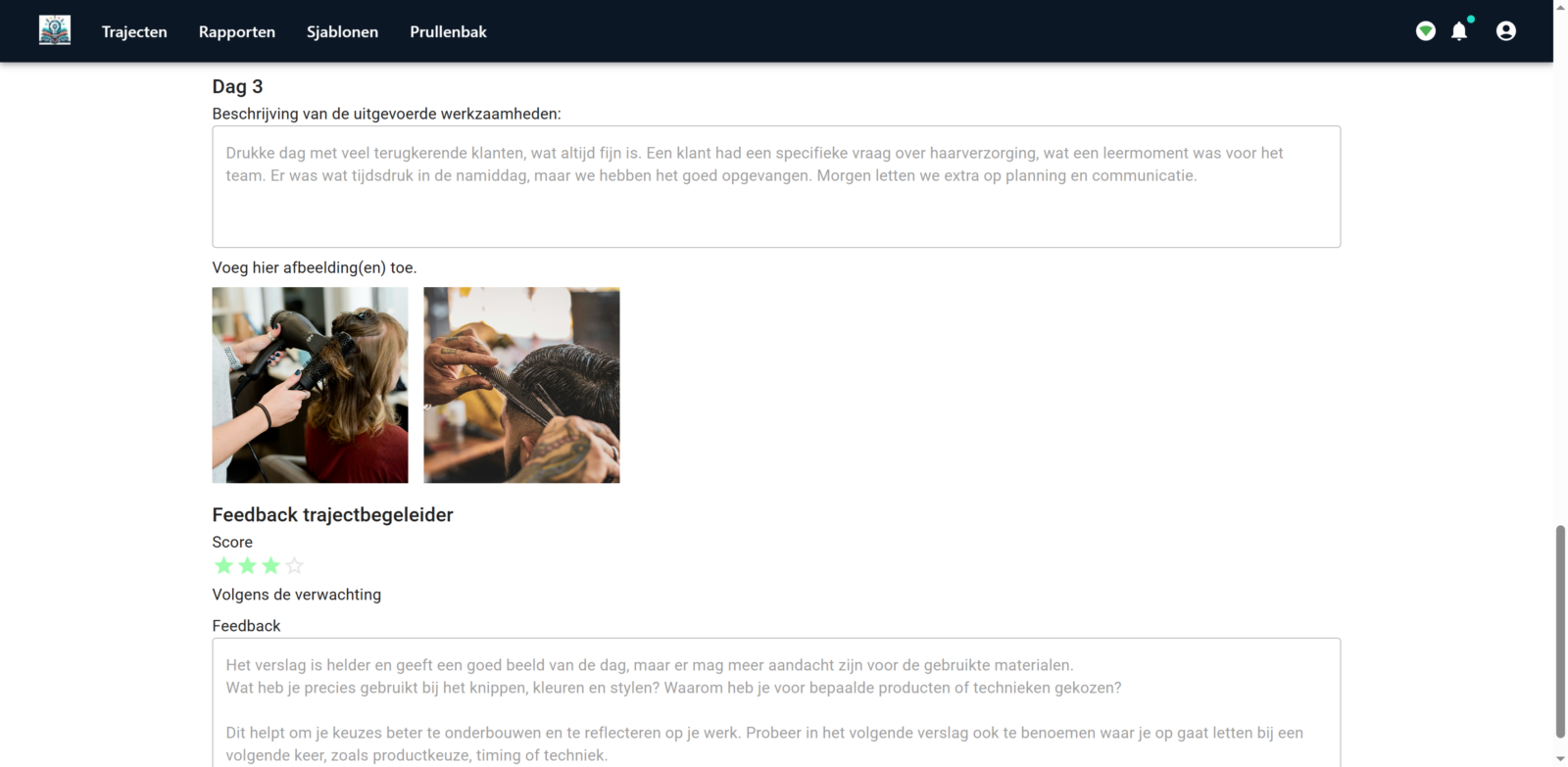
Create forms and reports in TrajectX, store them with the trajectory and share them with everyone involved.

TrajectX screenshot: documents

Roles

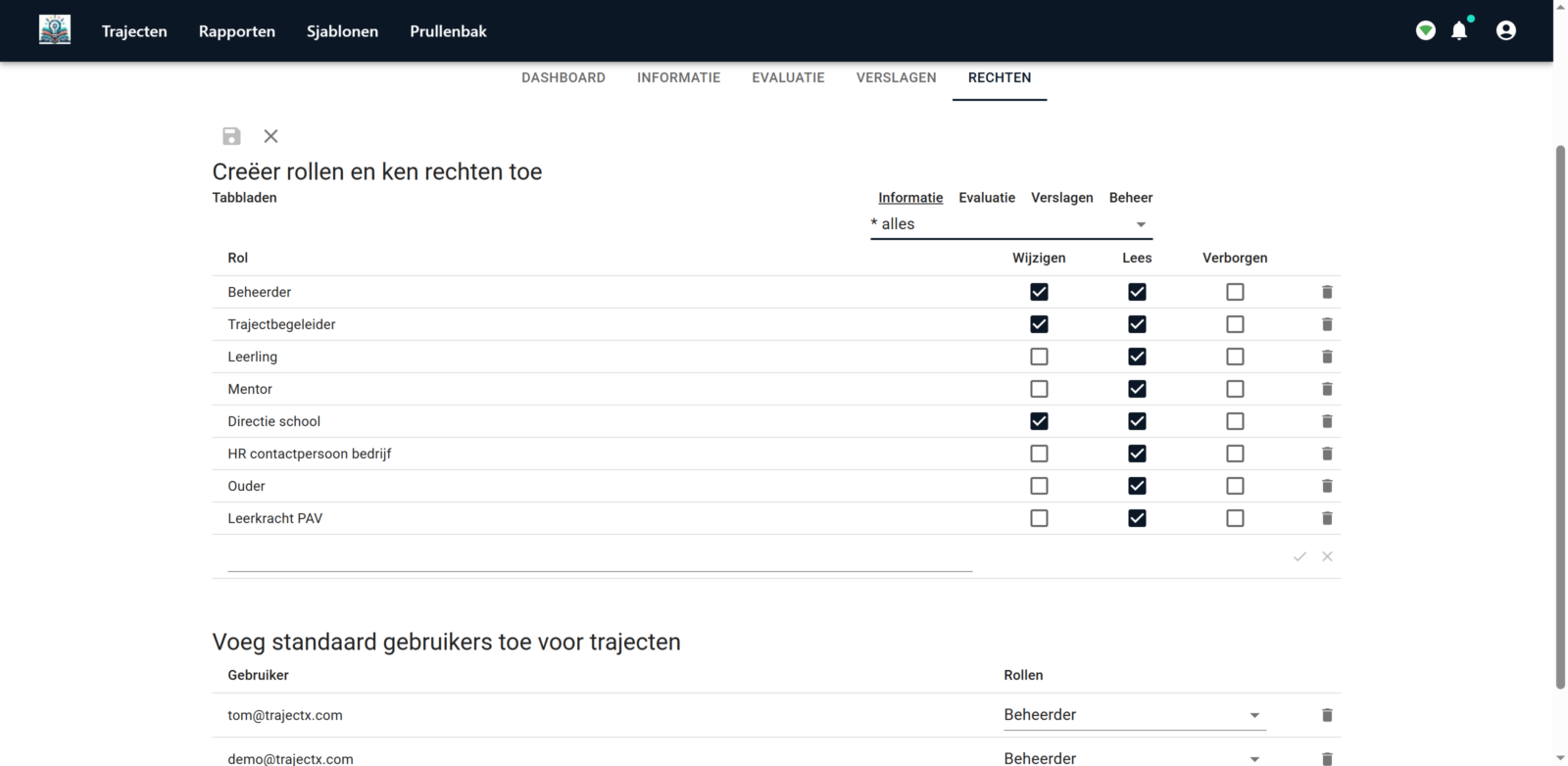
Give school, workplace and learner their own role with custom rights. Everyone only sees what is meant for them.

TrajectX screenshot: roles and permissions

Scores & progression

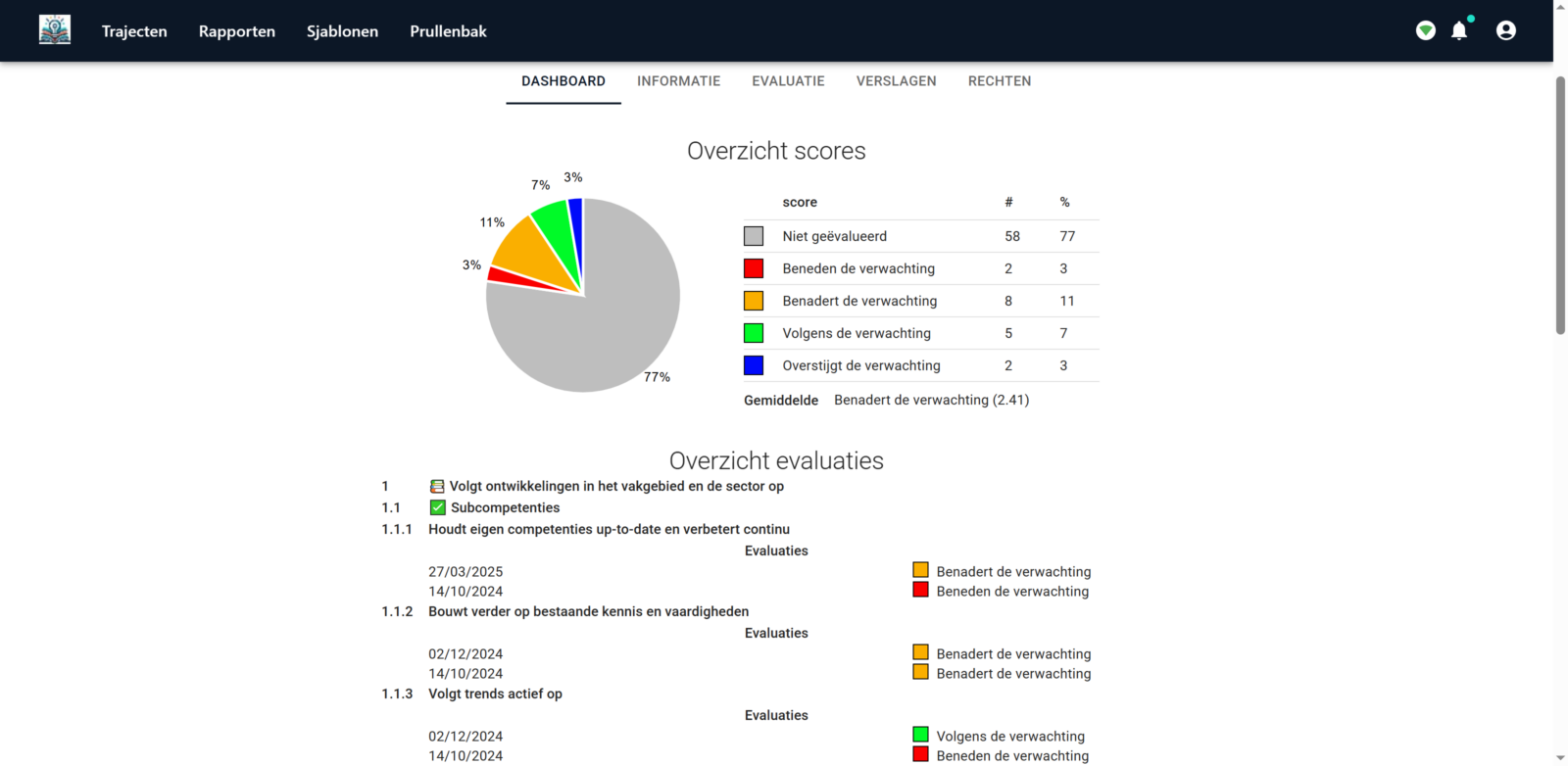
Follow progress per learner or per class on the dashboard and create clear reports.

TrajectX screenshot: scores and progress
dec dec

Why choose TrajectX

One platform for every form of practice-based learning, where school and workplace work together.

Dual learning

School and workplace evaluate the same competencies in one trajectory, and the learner sees the progress.

Internships

Follow up internships with evaluations, feedback and reports from the internship mentor, without separate forms.

Work-based learning

Workplace mentors give feedback with just their email address, without installing any software.

Training in companies

Track employee competencies and training plans with your own evaluation scale.

Secure collaboration

Roles and rights determine who sees and edits what: school, workplace and learner each get their own view.

Start right away

No installation: TrajectX runs in the browser on computer, tablet and smartphone.

Developed with our partners

From the start, TrajectX has been developed together with schools, companies and organisations. Their feedback helps shape how the platform evolves.

dec dec

Frequently Asked Questions

Can I test out TrajectX?

Yes. After a free demo, you can test TrajectX for 1 month free of charge, with all features.

How do I get started?

Request a demo and send us your competency lists and evaluation documents in advance. We set up the demo for your organisation. Afterwards you adapt the content yourself, or with our help.

Do I need to download anything?

No. TrajectX is a web application. An email address and an internet connection are all you need.

What kind of support can I expect?

We help you before, during and after the demo: with onboarding your team and with configuring the app, so you can work independently.

Can I collaborate with users from other organizations?

Yes. Invite internal and external people by email, for example workplace mentors. Share templates and reports easily with schools or partners.

Is there a mobile app?

No separate app is needed. TrajectX works in the browser on computer, tablet and smartphone.

Can I export data for reports?

Yes. Create reports and overviews of evaluations and progress, and print them or save them as PDF.

Is TrajectX suitable for dual learning and internships?

Yes. TrajectX is built for learning at school and in the workplace. School, mentor and learner work together in one trajectory, with your own competencies and evaluation scale. Read more about dual learning, internships and work-based learning.

Can we use our existing evaluation forms?

Yes. Send us your competency lists and evaluation forms in advance. We set up the demo with them, so you immediately see how they work in TrajectX.

star star

Ready to get started?

Contact us for more information or request a free demo.

Book a demo Contact us